
ARK only loads mods in the order they appear in the ActiveMods= line of GameUserSettings.ini. AASM abstracts that single line into three lists so you can park mods you're not currently using without losing the ID.
Prerequisites:
- At least one mod installed (see Installing Mods from CurseForge).
What each status means
| Status | In ActiveMods? | Loaded by ARK? | Use for |
|---|---|---|---|
| Active | Yes | Yes | Mods you're actively running. Order in this list = load order in ARK. |
| Passive | No | No | Mods you want to keep installed (so ARK doesn't delete the .pak files) but not load. Useful for seasonal mods you'll re-enable later. |
| Disabled | No | No | Mods you're considering removing. AASM keeps the metadata so you can quickly re-promote to Active without re-finding the ID. |
Step 1 - Open Mod Manager
Server tab → Mod Manager. The default view shows the three lists side by side (or stacked on narrow windows).
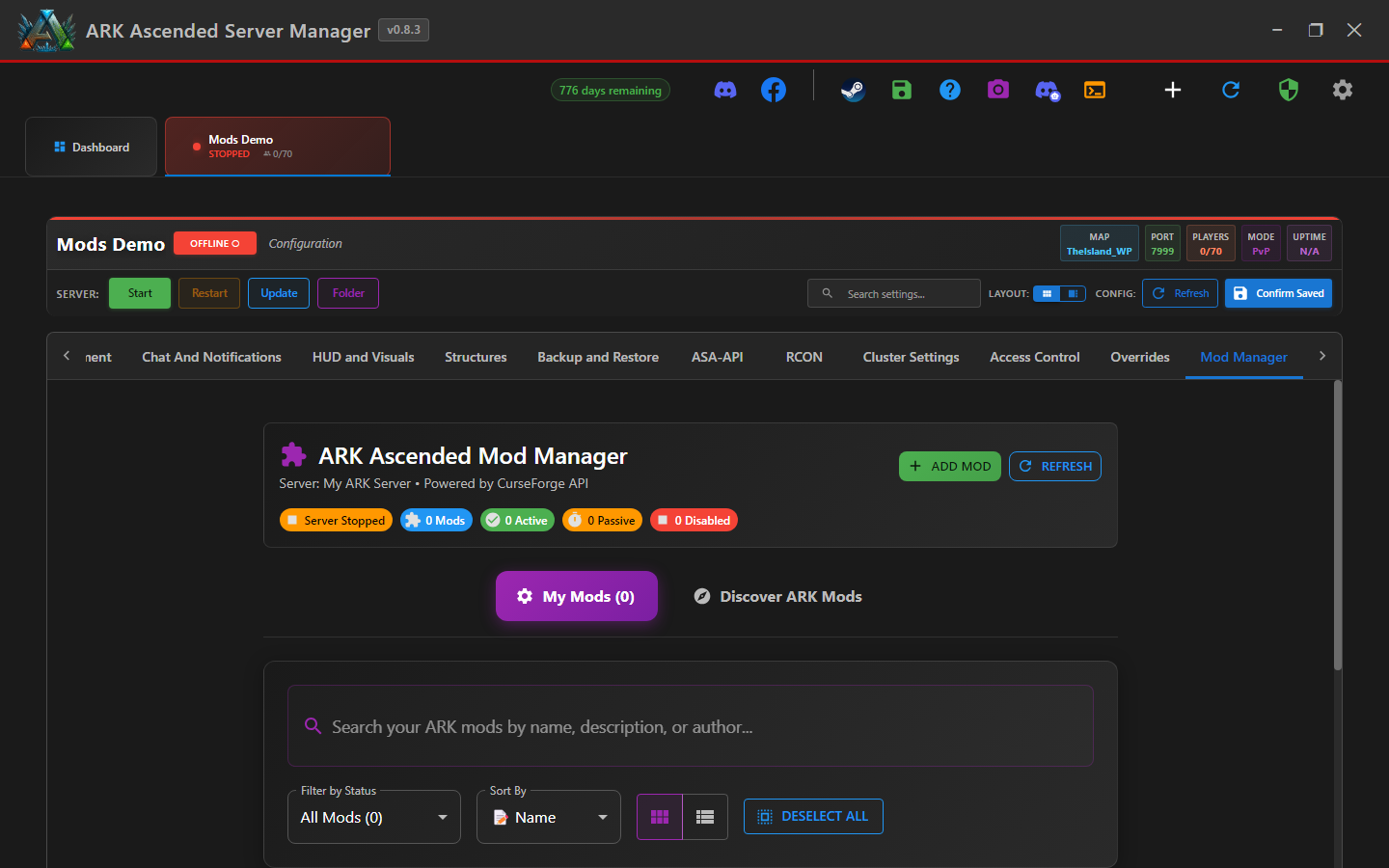
Step 2 - Move a mod between lists
Each mod card has status-change controls. Click the move icon and pick the destination list, or use the available drag-and-drop controls.
When a mod moves from Active → Passive, AASM rewrites ActiveMods= in GameUserSettings.ini to drop that ID. The .pak file on disk is unchanged, so re-promoting later is instant - no re-download.
Step 3 - Reorder Active mods (load order matters)
Inside the Active list, drag mods up/down to change load order. ARK loads them top → bottom, so mods that need to override others (texture replacements, balance overhauls) typically go LAST.
Don't change mod order on a live server with players online unless you know the mods are order-tolerant. Most ARK mods require a server restart for a load-order change to take effect.
Step 4 - Save changes
AASM saves status and order changes in real time - there's no separate Save button on the Mod Manager. You DO need to restart the server (or wait for the next scheduled restart) for ARK to pick up the new state.
v0.8.2 fix relevant here: mod-status changes are now wrapped in per-server locks (BUG-ModWriteRace), so two simultaneous changes from different sources (you in the desktop UI + the Web UI on another machine) can't corrupt the [ModSettings] section.
Managing Mod Status: Active, Passive, Disabled - done
You can now park mods in Passive when you're not running them, reorder Active mods for load order, and Disable mods you might remove without losing their IDs.