
Studio Wildcard uses CurseForge as the official mod platform for ARK: Survival Ascended. AASM has the CurseForge API built into the Discover Mods sub-tab so you can browse, search, filter, preview descriptions, and install mods without ever opening a browser.
v0.8.3 fixed two long-standing bugs in this flow: install buttons that were unresponsive due to a CSS shimmer overlay capturing clicks (BUG-20), and the missing right-click paste menu in the Mod ID field (also BUG-20).
Prerequisites:
- A server already added to AASM.
- Outbound internet access from the AASM host PC to CurseForge's API.
Step 1 - Open the Mod Manager tab
Server tab → Mod Manager sub-tab. The default view shows the three lists: Active, Passive, Disabled. We need a different sub-area for browsing.
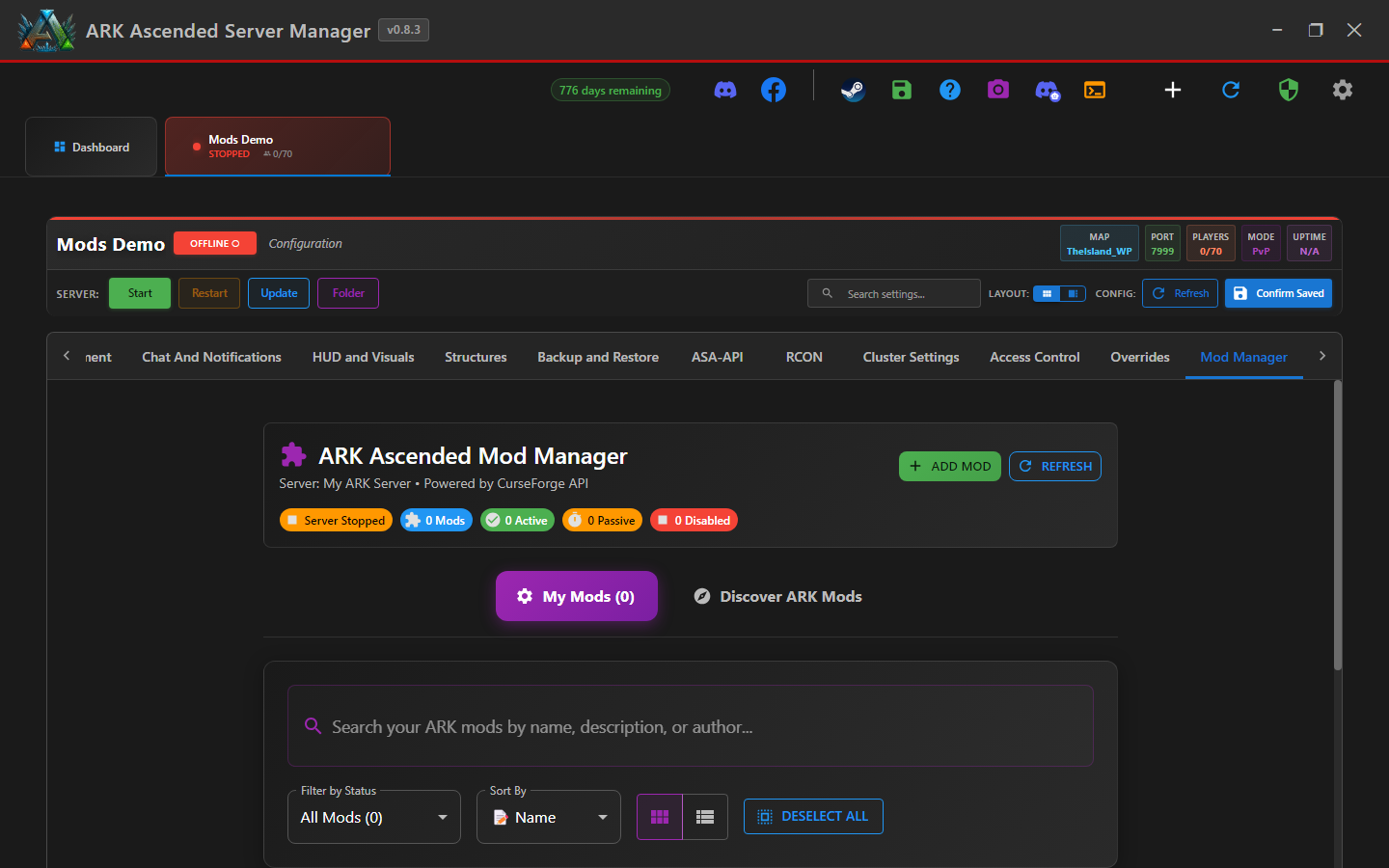
Step 2 - Switch to Discover Mods
Inside Mod Manager, switch to the Discover Mods sub-area (button or sub-tab depending on your Mod Manager layout). AASM fetches the CurseForge ARK mod listing.
The catalog supports search-as-you-type. The category and sort filters at the top narrow by Map / Creature / QoL etc. - useful when you're shopping rather than looking for a specific mod.
Step 3 - Preview a mod before installing
Click any mod card to open the detail view. AASM shows the mod's description, screenshots, version, last update date, dependency mods (if declared), and the mod ID you'd need to share with friends.
Mod descriptions are written by mod authors and rendered as HTML. AASM sanitises them before rendering so descriptions cannot execute scripts in the renderer process; that protection was introduced in v0.8.3.
Step 4 - Click Install
Either from the catalog card or from the detail view, click the green Install button. AASM:
- Adds the mod ID to this server's ActiveMods list in
GameUserSettings.ini - Queues the download (ARK itself fetches the .pak files on next startup)
- Returns you to the Mod Manager three-list view with the new mod shown under Active
Restart the server so ARK actually downloads and loads the .pak files.
Step 5 - Confirm the install on next startup
When the server next starts, watch the server log. ARK reports each mod download and load in lines like Loading mod: 928102. AASM also parses these and surfaces mod-load failures in the Mod Manager - if a mod fails to download or load, you'll see a red banner with the specific mod ID and the failure reason.
If a mod load fails because of an ARK API dependency you don't have installed, install AsaApiLoader first.
Installing Mods from CurseForge - done
You can now browse the CurseForge catalog and install mods with two clicks. Restart the server to actually pull the mod files.