
AsaApiLoader is a third-party launcher that injects a plugin loading layer between Windows and ArkAscendedServer.exe. Some popular server-side mods (anti-cheat plugins, advanced admin tools, RCON enhancements) require it. AASM has first-class support for AsaApiLoader-based servers via the ASA-API sub-tab.
Prerequisites:
- A server already added.
- AsaApiLoader binaries on disk (download from the AsaApi GitHub releases - AASM doesn't bundle them).
Step 1 - Drop AsaApiLoader binaries into the server's Win64 folder
Extract the AsaApi release archive into <server install>\ShooterGame\Binaries\Win64\. You should now have AsaApiLoader.exe + the plugin support DLLs next to ArkAscendedServer.exe.
Step 2 - Open the ASA-API sub-tab
Server tab → ASA-API sub-tab. AASM auto-detects the AsaApiLoader binary.
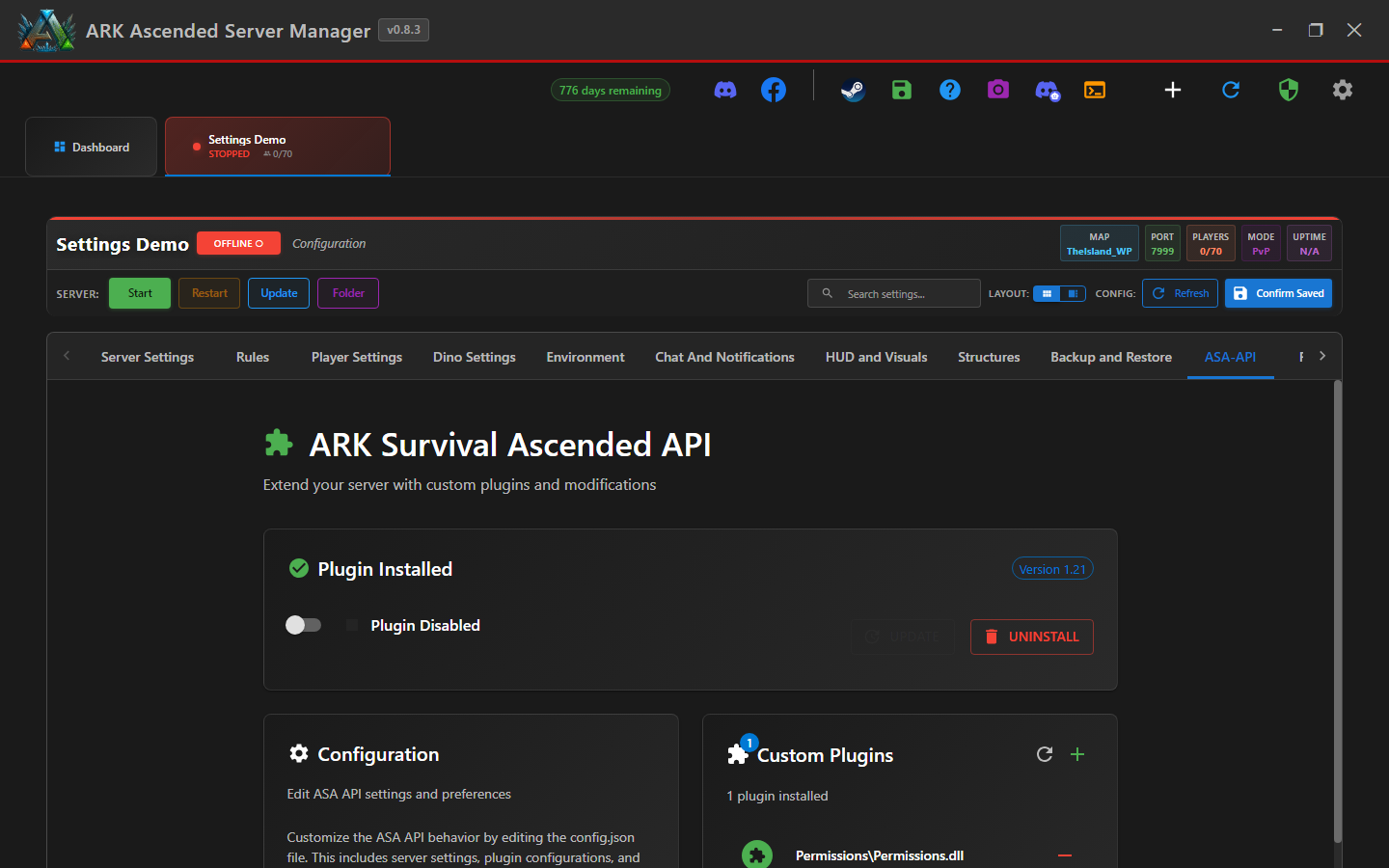
Step 3 - Enable AsaApiLoader for this server
Flip the Use AsaApiLoader toggle on. This changes the server's launch flow so AASM starts AsaApiLoader.exe instead of ArkAscendedServer.exe directly. AsaApiLoader then spawns ARK with plugin support.
v0.8.2 fix relevant here: BUG-AsaApiNameKeyed - ASA API plugin state used to be keyed by server name, so renaming a server detached its plugin enablement. v0.8.2 keys plugin state by stable server ID with a one-time migration on read. Renaming is safe in v0.8.3.
Step 4 - Manage plugins
Drop plugin .dll files into <Win64>\ArkApi\Plugins\<PluginName>\ per the AsaApi plugin layout. The ASA-API sub-tab lists detected plugins and their enabled state.
Step 5 - Known cosmetic quirk: FConsoleWindow flashes briefly
Cosmetic limitation: when AsaApiLoader is in use, ARK's FConsoleWindow can appear briefly before AASM minimizes it. This does not affect server operation; check the current changelog for any later change to this behaviour.
Step 6 - Crash detection on AsaApiLoader servers
AsaApiLoader can fail in a way that leaves the parent process running but unusable (plugin init failure). AASM's discriminated validateArkServerProcessClassified handling, introduced in v0.8.3, covers this case - see Crash Detection. If you see frequent false-positive crash banners on an AsaApi server, check the AsaApi log for plugin-init errors.
ASA API Plugin Setup (AsaApiLoader) - done
AsaApiLoader is enabled for this server and the plugins you have installed will load on next start. A brief console-window flash is cosmetic and does not affect server operation.