
Custom Console Arguments
Add launch flags to your ARK server (ASM v0.9.1)
When you start an ARK: Survival Ascended server, Wildcard's binary accepts a long list of launch-time flags that change how the server boots — things like -log for the console window, -NoBattlEye to disable anti-cheat, or -ClusterDirOverride to point at a shared cluster folder. ASM v0.9.1 lets you set these in a single textbox per server, and re-applies them automatically every time the server starts.
v0.8.3 syntax change: arguments are separated by spaces (standard shell convention), not commas as in older versions. Quote-aware so -Foo="value with spaces" works.
Open the Server Settings Tab
Click your server's tab in the top bar (next to Dashboard). The server tab opens with the Server Settings sub-tab selected by default, showing Session Name, ports, map, and so on.
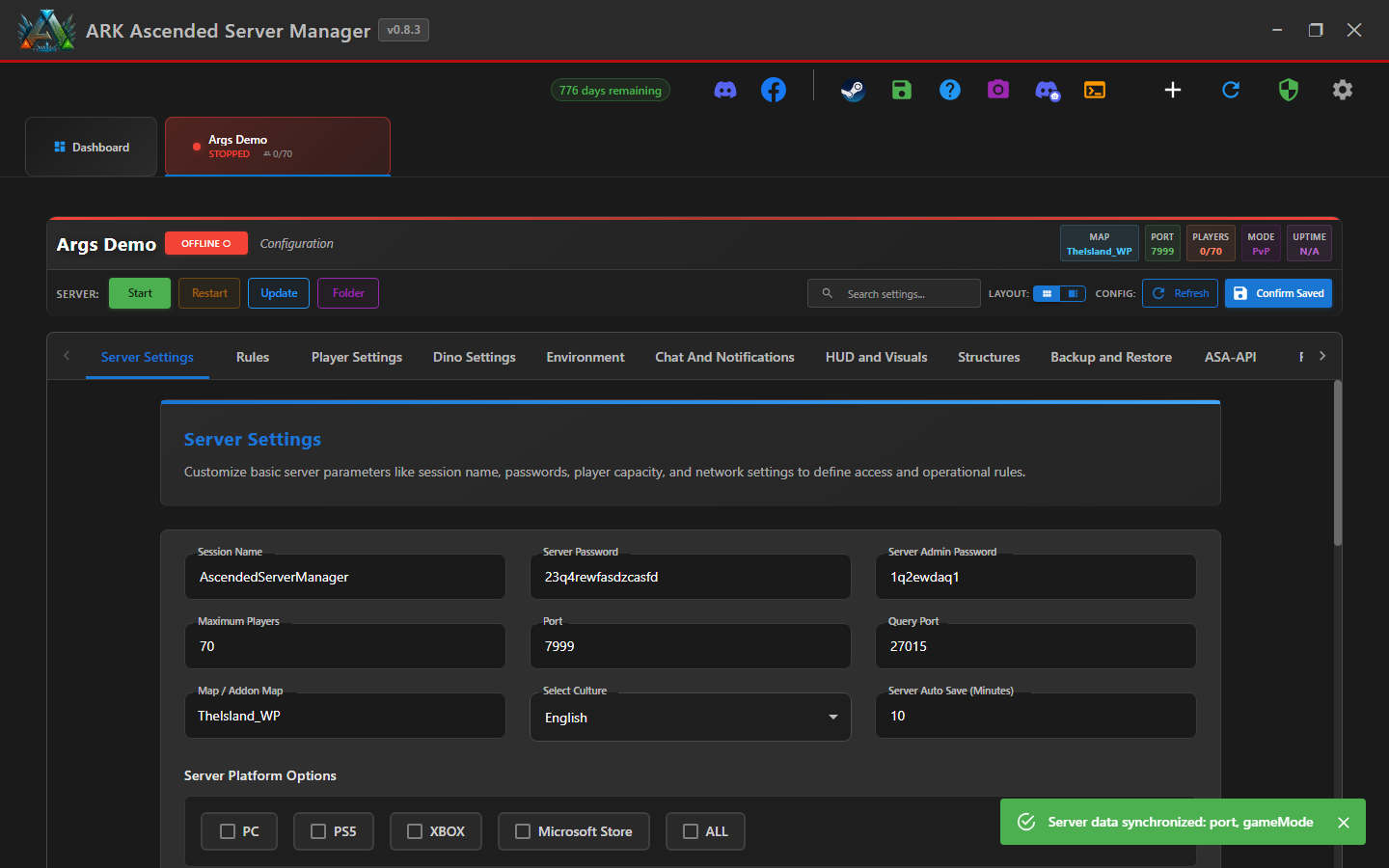
Scroll Down to “Custom Command Line Inputs”
Scroll down past the Server Platform Options. You'll find a section titled Custom Command Line Inputs with a single text field labelled Console Arguments.

Type Your Arguments, Separated by Spaces
Type the flags into the field, separating them with single spaces. Example:
-NoBattlEye -log -ServerAllowAnsel
For arguments with values, use the -Flag=Value form. If the value itself contains spaces, wrap it in double quotes:
-MapModID=1009169 -ClusterDirOverride="D:\Ark Cluster\island"
How ASM parses this: the parser splits on unquoted spaces, strips the outer quotes, then appends each token to the ARK launch command. To embed a literal " inside a value, double it: -Foo=""quoted bit"" — only the outer pair is consumed.
Don't duplicate flags that ASM already manages. ASM owns ?Port=, ?QueryPort=, ?RCONPort=, ?ServerAdminPassword=, ?SessionName=, and the chosen map. Adding these manually here will either be ignored or fight ASM's own argument. Use ASM's UI fields for those instead.
Save and Restart
Click Confirm Saved at the top-right of the server tab (the dark-blue button next to Refresh). ASM writes your arguments into the server's GameUserSettings.ini under [ServerSettings] as ConsoleArguments=.
Then restart the server (Stop, wait, Start) so ARK picks up the new launch flags. Already-running servers don't see the change until they reboot.
To verify it worked, watch the server's ARK console window when it starts — your flags appear in the command line at the top.
Useful Arguments — Quick Reference
A non-exhaustive list of the launch flags most commonly added via this field. Wildcard's full list lives in the official ASA dedicated server docs — this table just collects the ones most ASM users reach for.
| Flag | What it does |
|---|---|
-log | Opens an ARK console window showing live log output. Useful for troubleshooting mod issues and watching player join/leave activity. |
-NoBattlEye | Disables the BattlEye anti-cheat layer. Required for some modded servers; never use on PvP without explicit reason. |
-servergamelog | Writes ShooterGame.log with chat / kill / structure events. Helps ASM's helper bot triage issues. |
-servergamelogincludetribelogs | Adds tribe-log entries (build, tame, kill events) to the game log. |
-ServerAllowAnsel | Allows NVIDIA Ansel screenshots in-game. |
-ForceRespawnDinos | Wipes all wild dinos once on next boot, then ARK respawns them. One-shot — remove after a single restart. |
-UseDynamicConfig | Enables Wildcard's dynamic config system (used for officials / rates events). |
-StasisKeepControllers | Keeps AI controllers loaded when dinos stasis. Higher RAM, smoother behaviour when players return to area. |
-EnableIdlePlayerKick | Boots AFK players after the timeout configured in Game.ini. |
-clusterid=<id> | Joins this server to a cluster. Set via ASM's Cluster Settings sub-tab instead — don't put it here. |
-ClusterDirOverride=<path> | Overrides the cluster save directory. ASM owns this when you configure clustering via the UI. |
Best Practices
Console Arguments Saved!
Your launch flags now apply every time this server starts. To verify they took effect, start the server and look at the top of the ARK console window — your custom args appear in the command line.