
GameUserSettings.ini is the main ARK server config file - max players, multipliers, passwords, harvest rates, all live here. AASM exposes its settings across several Server Settings sub-tabs so you don't have to hand-edit the .ini.
Prerequisites:
- A server already added.
Which tab holds which settings
| Tab | Common settings |
|---|---|
| Player Settings | Max players, admin password, spectator password, server password, character level cap, XP multiplier |
| Dino Settings | Wild dino level multiplier, taming speed, dino food/water drain, mate boost, dino count caps |
| Environment | Day length, night length, weather intensity, weight/stack multipliers |
| HUD and Visuals | Crosshair, third person, floating names, map visible toggles |
| Structures | Structure decay, structure density cap, prevent grief PvE, etc. |
| Chat And Notifications | Cross-tribe chat, chat range, broadcast settings |
Step 1 - Open the server's tab
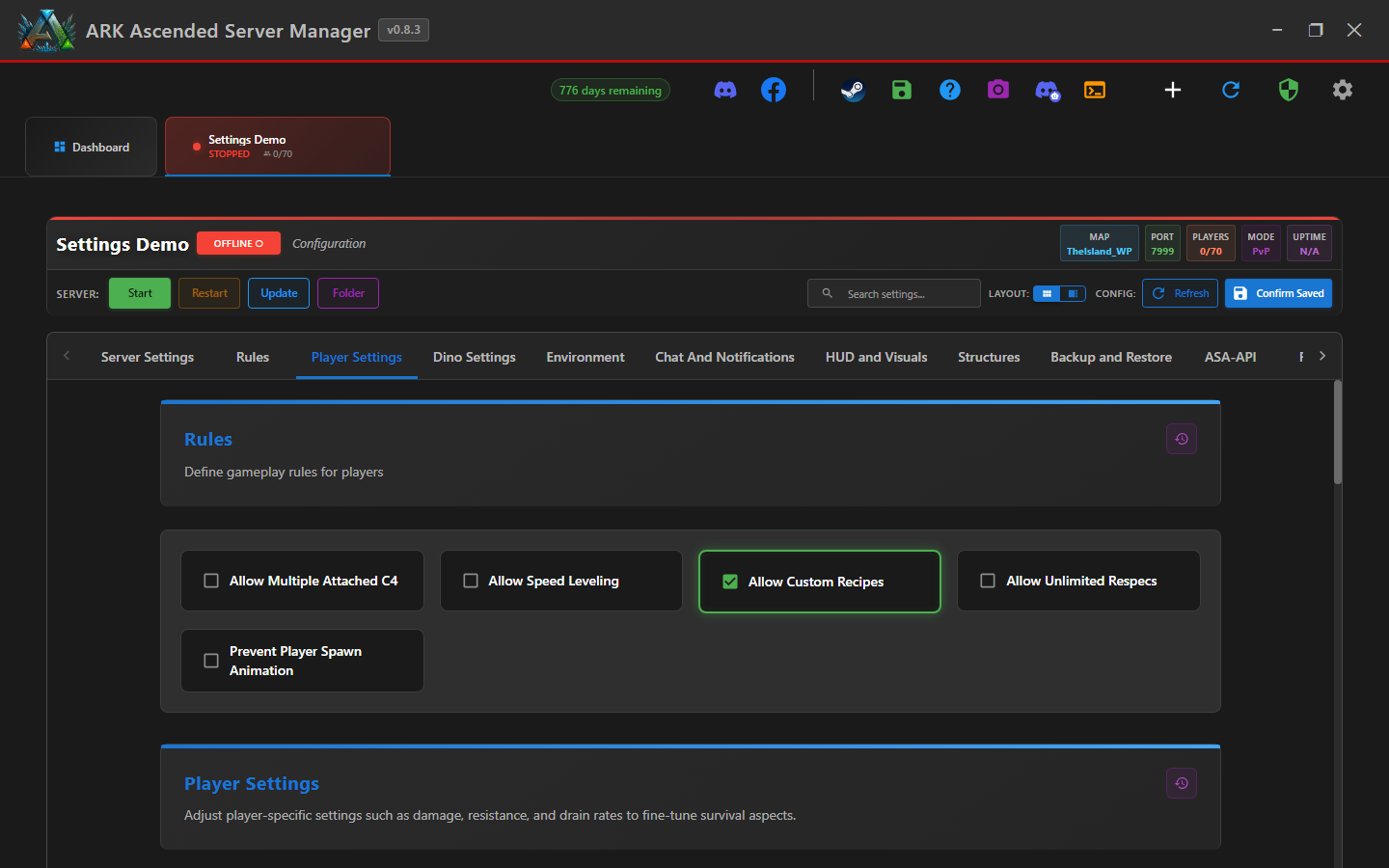
From the Dashboard, click the server name in the tab strip. The server tab opens to Server Settings by default.
Step 2 - Pick the sub-tab for the setting you want
Use the reference table above. For "set max players to 100," that's Player Settings. For "double the wild dino spawn level," that's Dino Settings.
Step 3 - Change the value
Each setting has either a numeric input, slider, dropdown, or toggle. AASM validates the value (e.g. multipliers can't go negative).
Step 4 - Click "Confirm Saved"
At the top right of the server tab, click Confirm Saved. AASM writes your changes to GameUserSettings.ini using atomic writes (no half-written files even if the host PC crashes mid-write - v0.8.2 atomic-write guarantee).
Step 5 - Restart for changes to apply
ARK reads GameUserSettings.ini at server startup. Restart the server for most changes to take effect. A few settings (like server password) can be applied live via RCON, but config-file changes always need a restart.
Editing GameUserSettings.ini - done
You can edit every common ARK setting via labelled controls instead of hand-editing INI files. Snapshot your loadout after big tuning sessions so you can roll back.