
A backup on the same drive as your server install protects against accidental deletion or corruption. It does NOT protect against drive failure, ransomware, or "the building burned down." AASM ships an optional SFTP off-site backup tier that uploads each backup ZIP to a remote server.
v0.8.2 fixed an SFTP failure-swallow bug (BUG-SftpFailureSwallow) - earlier builds reported scheduled-backup success even when the SFTP upload silently failed. v0.8.3 honestly reports failure with retry intent.
Prerequisites:
- Local backups already configured (see Configuring Automated Backups).
- An SFTP-capable remote host (your VPS, a NAS with SSH enabled, Backblaze B2 via rclone bridge, etc.).
- SFTP credentials (host, port, username, password OR private key).
Step 1 - Open Backup and Restore
Server tab → Backup and Restore sub-tab. Scroll to the Off-Site / SFTP Backup section.
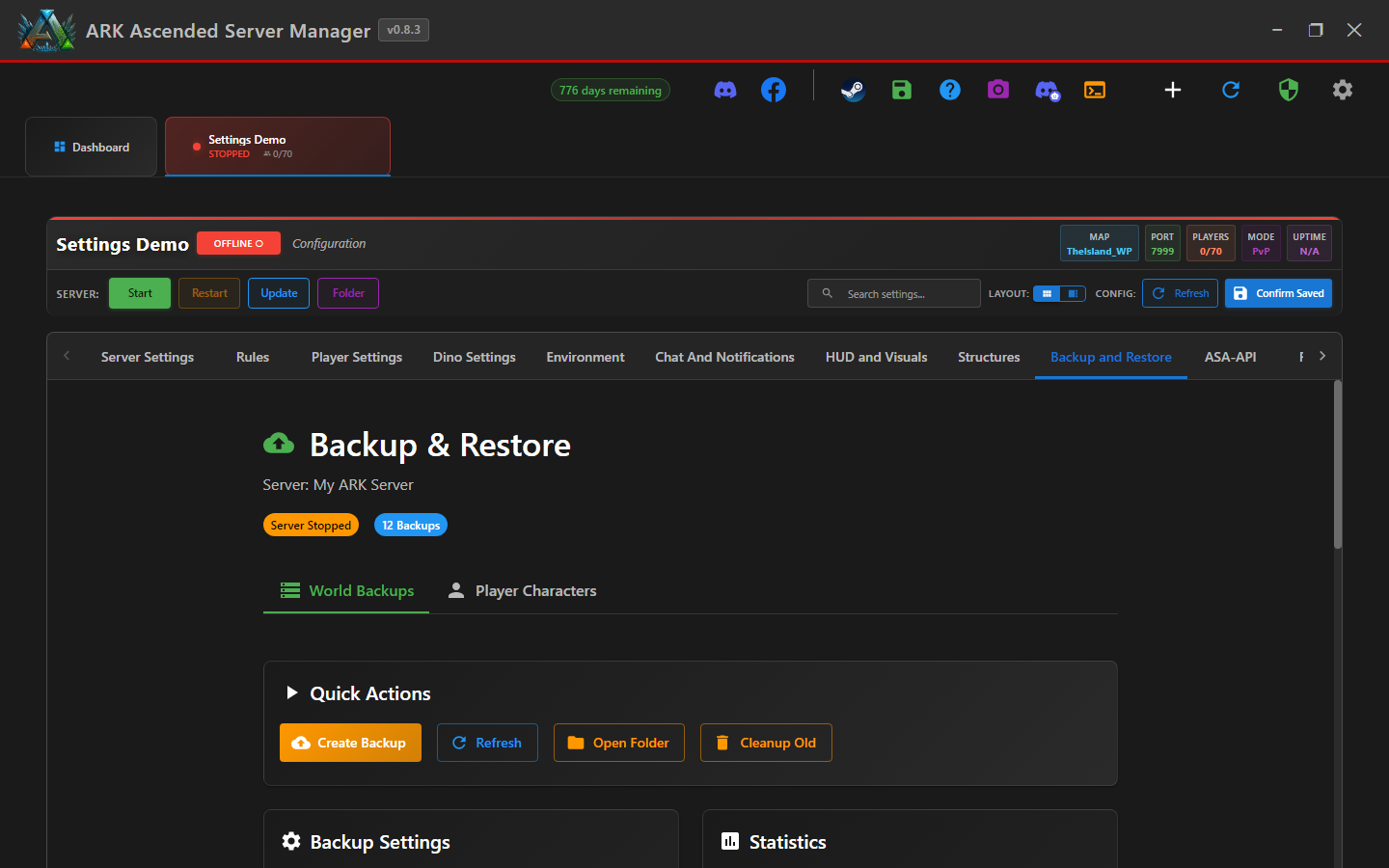
Step 2 - Enable SFTP upload
Flip Enable SFTP backup tier on. The credential fields become editable.
Step 3 - Enter SFTP credentials
Fill in:
- Host - SFTP server (e.g.
backups.example.com) - Port - typically
22(SFTP rides on SSH) - Username - the account on the remote
- Auth method - password OR private key path
- Remote path - where to put backups (e.g.
/srv/ark-backups/island/)
SFTP password is stored encrypted in AASM's data dir. Viewer/dashboard Web UI roles cannot read it (v0.8.2 server-side redaction).
Step 4 - Set the local-vs-remote retention
Configure two retention windows:
- Local retention - how many local backups to keep before pruning (e.g. last 24h).
- Remote retention - how many remote backups to keep (e.g. last 7 days for daily snapshots).
Step 5 - Save and test with a manual backup
Click Confirm Saved, then trigger a manual backup via the Backup Now button. Watch the dashboard:
- Local backup runs first (atomic ZIP write - v0.8.2 fix BUG-BackupZipAtomicWrite means no half-written archives).
- SFTP upload kicks off after the local ZIP is verified.
- Success snackbar fires only when BOTH tiers succeed. SFTP failures now correctly flag
shouldRetry(v0.8.2 fix).
Step 6 - Verify on the remote
SSH into the remote and confirm the backup landed:
ssh user@backups.example.com "ls -lh /srv/ark-backups/island/"
The latest ZIP should be there with the same size as the local copy.
SFTP Off-Site Backups - done
You now have a true off-site backup tier. Pair with on-site backups so you have multiple lines of defense - local for accidental deletion, remote for drive failure or disaster.