
ARK servers crash. AsaApiLoader plugins crash even more. AASM watches every server you've added, detects when the process is gone (not just suspended, not just slow to respond), and starts it again - usually within 30 seconds of the crash.
v0.8.3 also fixed a class of false-positive "CRASH CONFIRMED" loops that affected AsaApiLoader fleets under load (BUG-13 - the validator now classifies each check into gone / wrong-exe / timeout / parse-fail instead of treating all four as a crash).
Prerequisites:
- A server already added to AASM.
Step 1 - Open Maintenance & Management
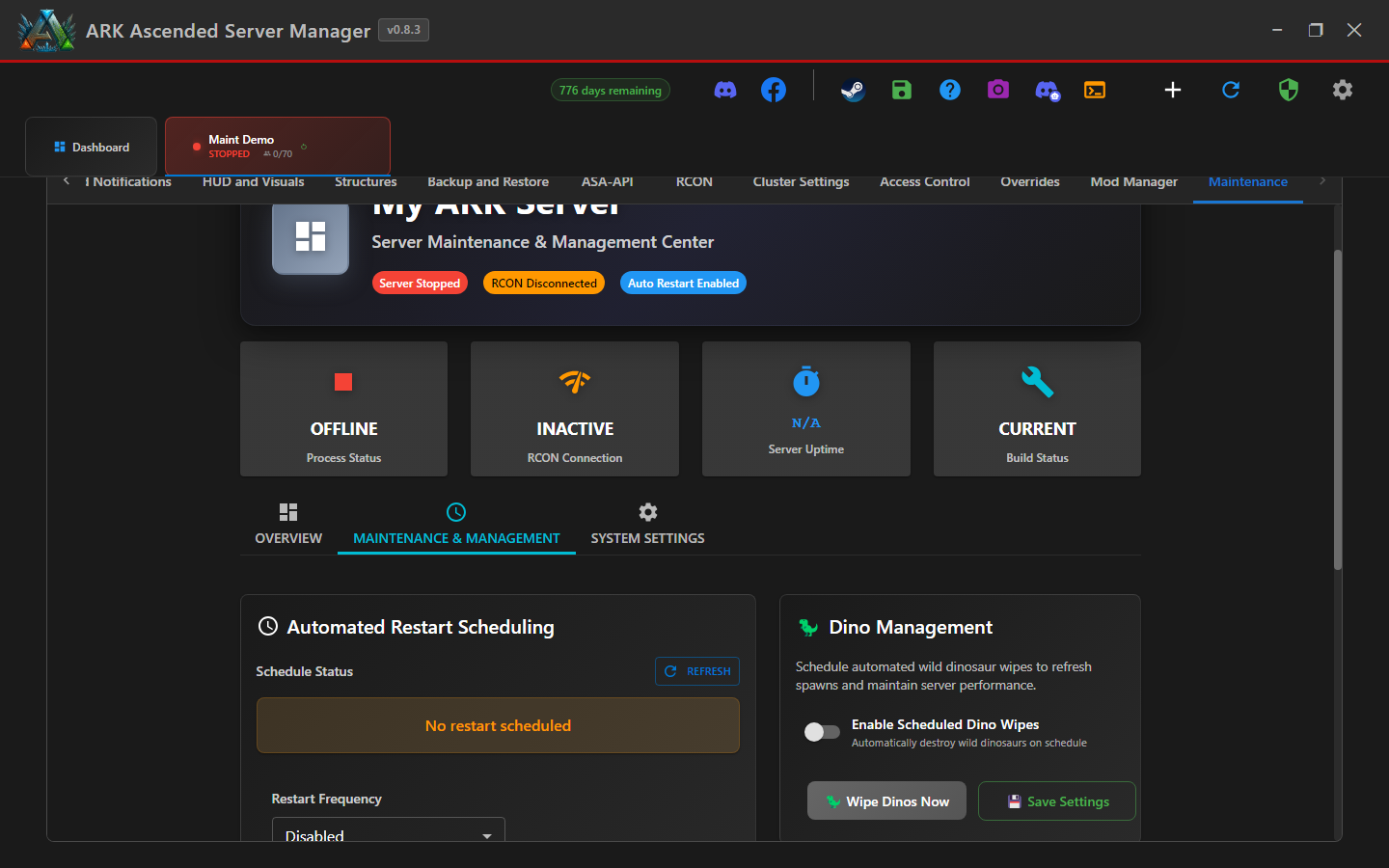
Server tab → Maintenance sub-tab → Maintenance & Management. The Quick Settings card on the left holds the crash-detection toggle.
Step 2 - Flip "Auto Restart on Crash" on
In the Quick Settings card, find the toggle labelled 🔧 Auto Restart on Crash. Click it on. AASM saves the setting immediately - no separate Save button.
This setting is per-server. Enable it on every server you want auto-recovered. The dashboard's server card shows a small "Crash Detection: ON" badge when it's active.
Step 3 - How AASM decides a server has crashed
AASM uses a multi-signal verification routine before declaring a crash. On Linux, it monitors the ASA process launched through Proton/Wine; use the Linux troubleshooting guide if validation fails only there.
- Process check: is the
ArkAscendedServer.exeprocess (or AsaApiLoader equivalent) still running with the expected working directory? - If yes - server is fine. If no - go to step 3.
- Consecutive-failure counter: AASM needs three failed checks in a row before triggering recovery. One missed check is just a transient failure.
- Bulk-empty guard: if the process query suddenly returns zero results for every server, AASM skips the cycle and checks again instead of assuming the whole fleet crashed.
Step 4 - Crash-detection pauses (planned maintenance)
AASM auto-pauses crash detection during these operations so it doesn't fight the user-initiated action:
- Manual stop / restart from the dashboard
- SteamCMD updates
- Settings Snapshot restores
- Move-server / clone-server operations
The pause record is stored in data/crash_detection_pauses.json. AASM restores crash detection automatically after the operation completes; that guard was introduced by the v0.8.3 BUG-17 fix after earlier builds could leave it paused on disk.
Step 5 - Tuning (optional)
For most servers the defaults are right. If you have an unusually slow host or heavy mod load and see false-positive crashes despite the current guards, open data/maintenance_settings.json for that server and increase the check interval. Don't lower the consecutive-failure threshold; doing so makes transient checks more likely to trigger recovery.
If crash detection seems noisy on an AsaApiLoader server specifically, check the AsaApi log for plugin-init failures. The plugin can fail in a way that leaves the parent process running but unusable; AASM surfaces this through the dashboard server status rather than the crash banner.
Crash Detection & Auto-Restart - done
A crashed server now restarts itself within ~30 seconds (one check interval × three consecutive failures + recovery startup time). You'll get a notification on Discord (if the bot is wired up) so you know recovery happened.