
Running 5+ servers? Bulk operations let you start, stop, restart, or update many at once without clicking each card individually. AASM also staggers them - starting 10 servers at once would crush SteamCMD and your CPU, so each action launches with a configurable delay between them.
Prerequisites:
- Two or more servers added to AASM.
Step 1 - Open the Dashboard
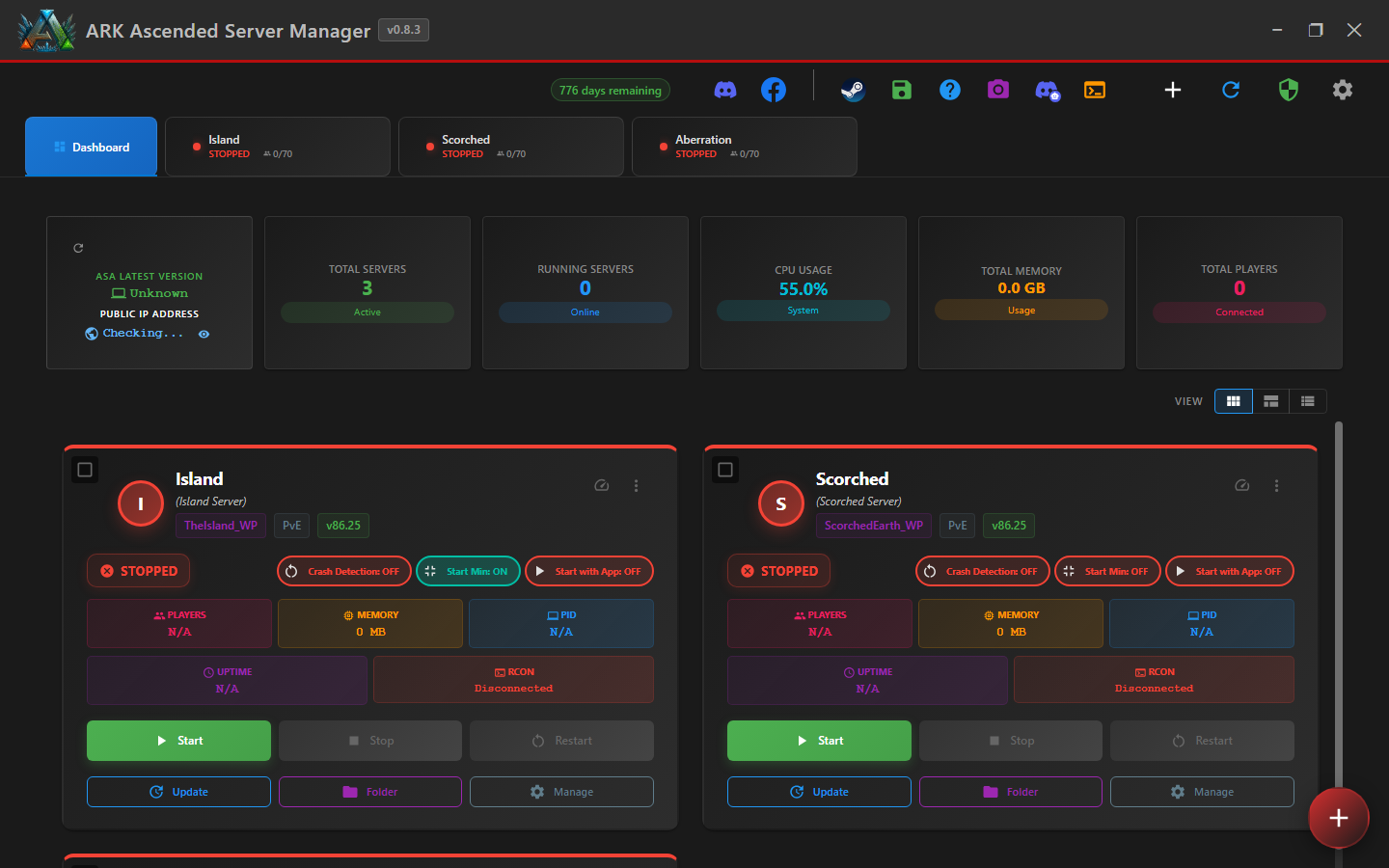
Click the Dashboard tab at the top-left of the AASM window. The dashboard shows all your servers as cards with status, player count, and per-card action buttons.
Step 2 - Select the servers
Each server card has a checkbox. Tick the ones you want to act on. Or click Select All for the whole fleet.
Step 3 - Choose a bulk action
The bulk-actions toolbar appears once you've selected at least one server:
- Start - launch all selected stopped servers
- Stop - gracefully stop all selected running servers (saveworld first, then shut down)
- Restart - stop + start with countdown warnings
- Update - check Steam for new builds + update if available
Step 4 - Confirm and watch the stagger
A confirmation dialog shows what's about to happen + the stagger delay (configurable, default 15s between server launches). Click Confirm. Each server's card updates as its action progresses.
Bulk start stagger: SteamCMD can't handle parallel updates well (file locks), and 10 ARK servers starting at the same time can briefly peg a 16-core CPU. The default 15s delay gives each one a head start.
Step 5 - Bulk Update safety
v0.8.2 fix relevant here: BUG-BulkUpdateSafetyStop - the safety-check-failed branch in bulk update used to call start instead of stop (a typo). v0.8.2 now correctly stops a server when its safety check fails (e.g., players still online). Don't bulk-update during peak hours unless you've announced it.
Bulk Server Operations (Start, Stop, Update) - done
You can manage a 10-server fleet with the same clicks it takes for one server, with staggered execution to keep SteamCMD and your CPU happy.