
Two text files in your ARK server install control player access:
- BanList.txt - Steam IDs of banned players. ARK rejects their connection attempts.
- PlayersJoinNoCheckList.txt - whitelist. Used only when
?ForceAllStructureLocking=Trueor whitelist-only modes are enabled. Steam IDs in this file are allowed even when whitelist-only is on.
AASM manages both via the Access Control sub-tab so you don't have to RDP into the host PC.
Prerequisites:
- A server already added.
- Steam IDs of the players you want to ban or whitelist (use
listplayersvia RCON or the in-game F1 list).
Step 1 - Open Access Control
Server tab → Access Control sub-tab.
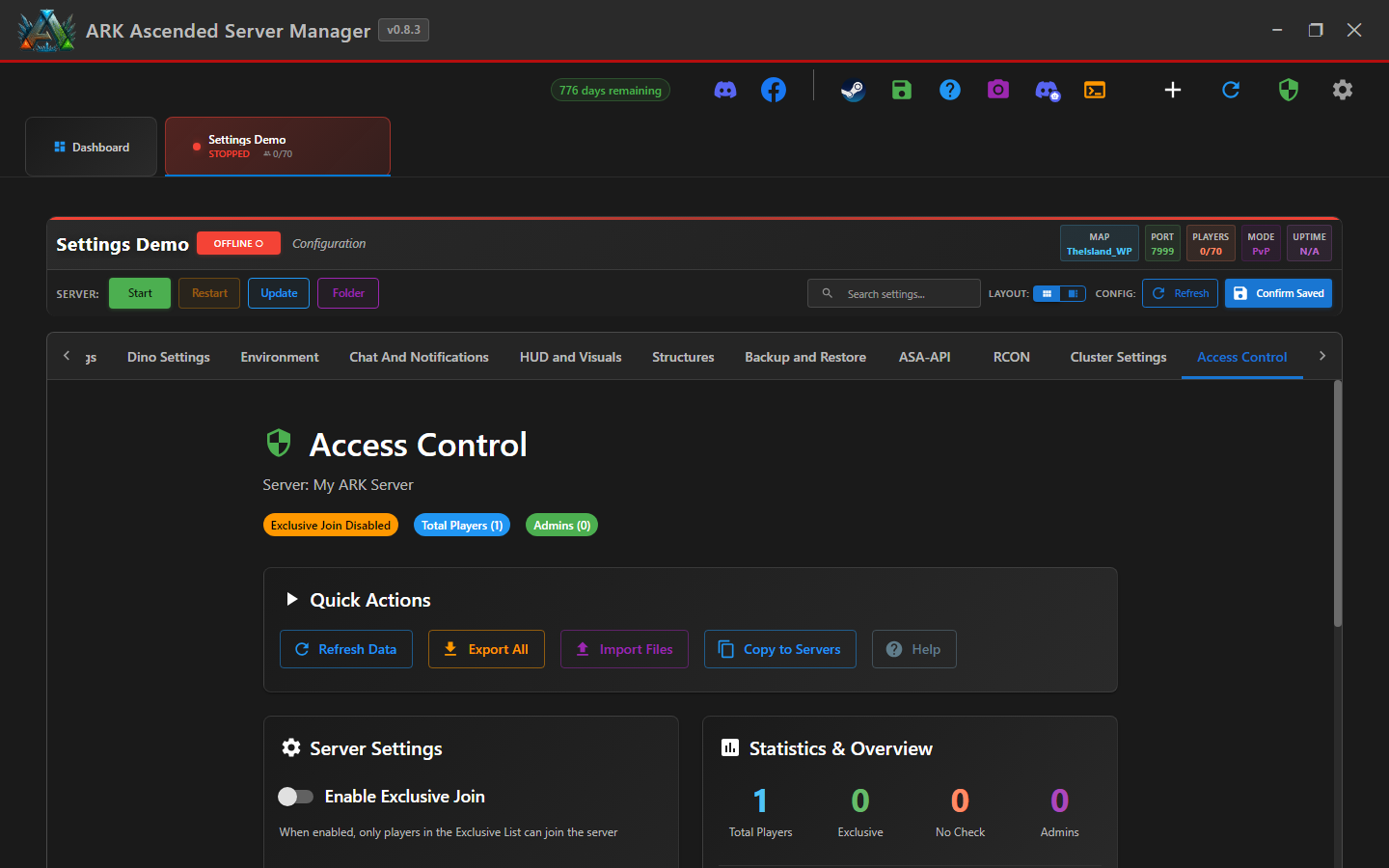
Step 2 - Add a Steam ID to the ban list
In the Ban List section, paste the Steam ID (17-digit Steam64 format, e.g. 76561198012345678) and click Add. AASM writes it to BanList.txt. If the player is currently connected, also kick them via RCON: kickplayer <steamId> - the ban list only stops future connection attempts, not active sessions.
Step 3 - Unban (remove from list)
In the same Ban List view, find the entry and click Remove. AASM rewrites BanList.txt without that ID.
RCON banplayer also writes to BanList.txt. The two interfaces stay in sync - if you ban via RCON, the AASM list updates after the next refresh (or restart).
Step 4 - Add to the whitelist (PlayersJoinNoCheckList.txt)
The Whitelist section manages PlayersJoinNoCheckList.txt. Add Steam IDs of players you want to bypass standard checks.
This file only has effect if you've enabled the whitelist-only launch option (?WhitelistOnly=True equivalent) or similar restrictive launch args. By default ARK ignores it.
Step 5 - Save and restart (sometimes needed)
Most ban list changes take effect on the player's next connection attempt - no restart needed. Whitelist changes typically require a restart since they pair with launch-time flags.
Whitelist & Ban List Management - done
Your access lists are now managed from AASM with no manual file editing. Pair with RCON kick/ban for in-the-moment actions.